
Calculated Fields
Calculated Fields allow you to set up dynamic scoring and logic in your surveys. By using Calculated Fields, you can automatically calculate scores and enable branching based on the results.
How to Setup Calculated Fields
Select a question, open the Logic tab, and click Calculated fields:
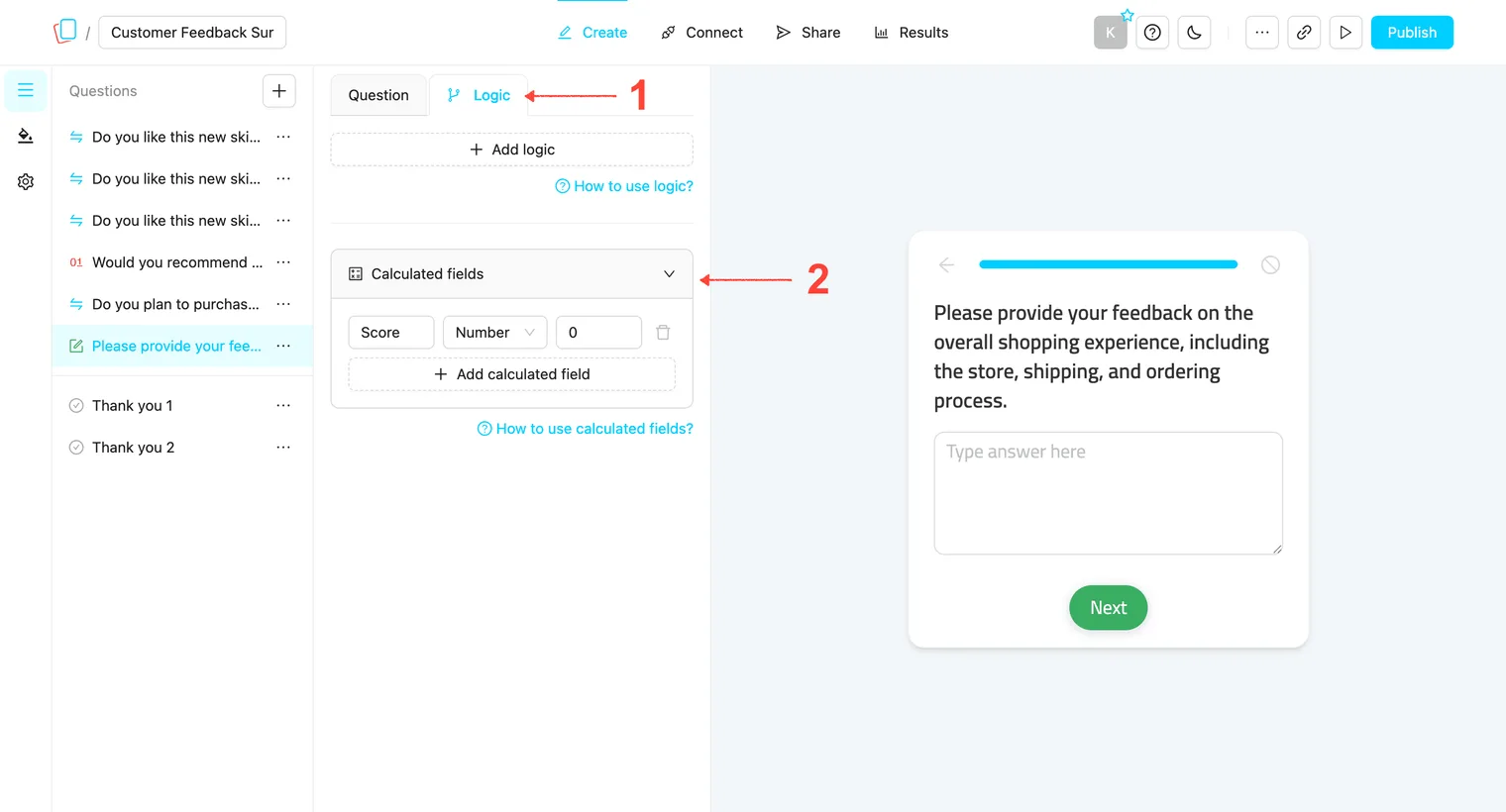
Note: When you create a new survey, a default Calculated Field called Score is automatically created with an initial value of 0. This field provides a starting point for your survey’s scoring system. You can edit the name, type, and initial value of this field, or create additional calculated fields as needed.
How to Use Calculated Fields in Logic
Using Calculated Fields for Displaying Different Outcomes
If you’re creating a quiz with multiple outcomes, you can use calculated fields to track scores for each type and display a result based on the score:
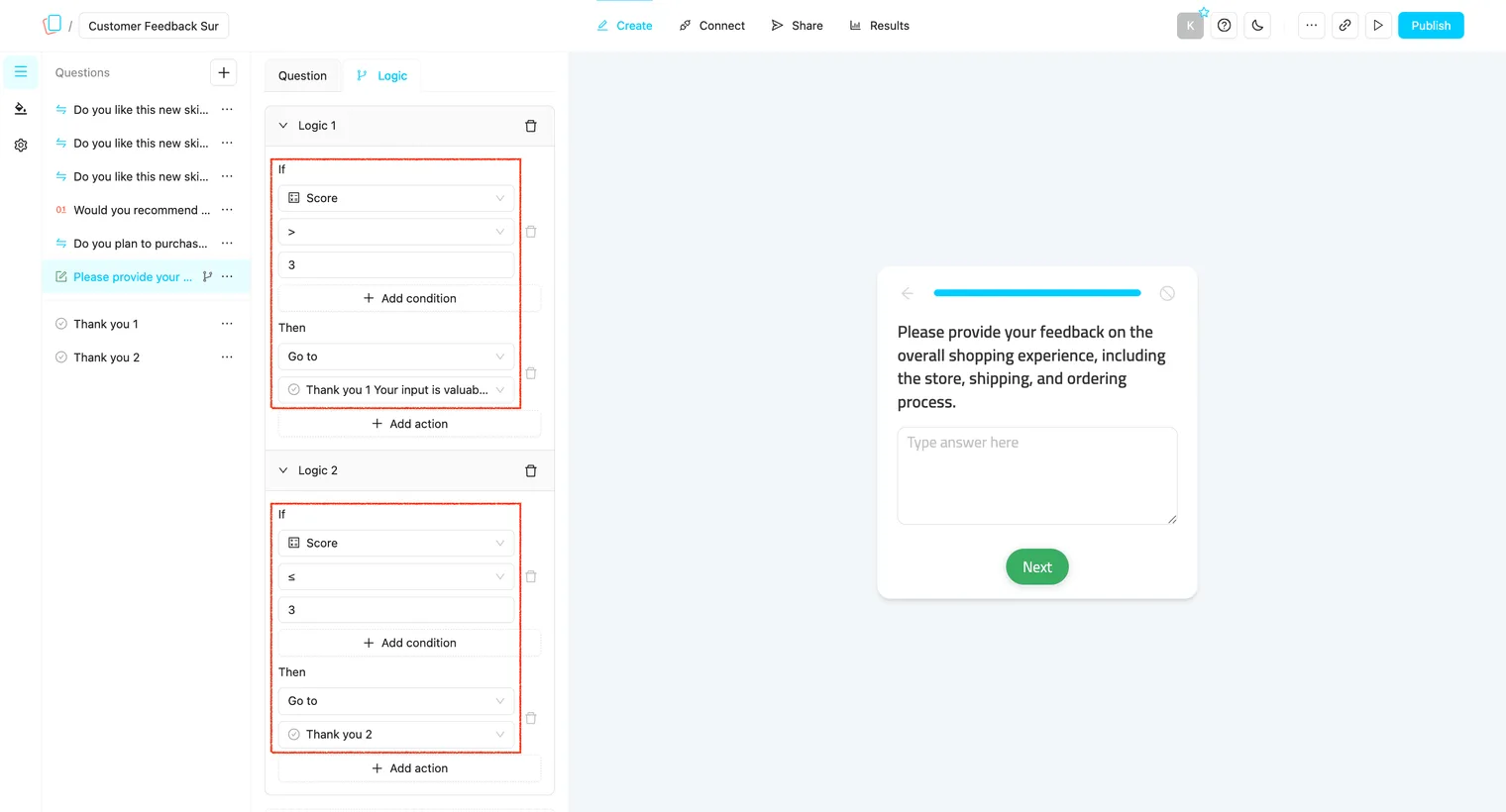
Comparing Calculated Fields
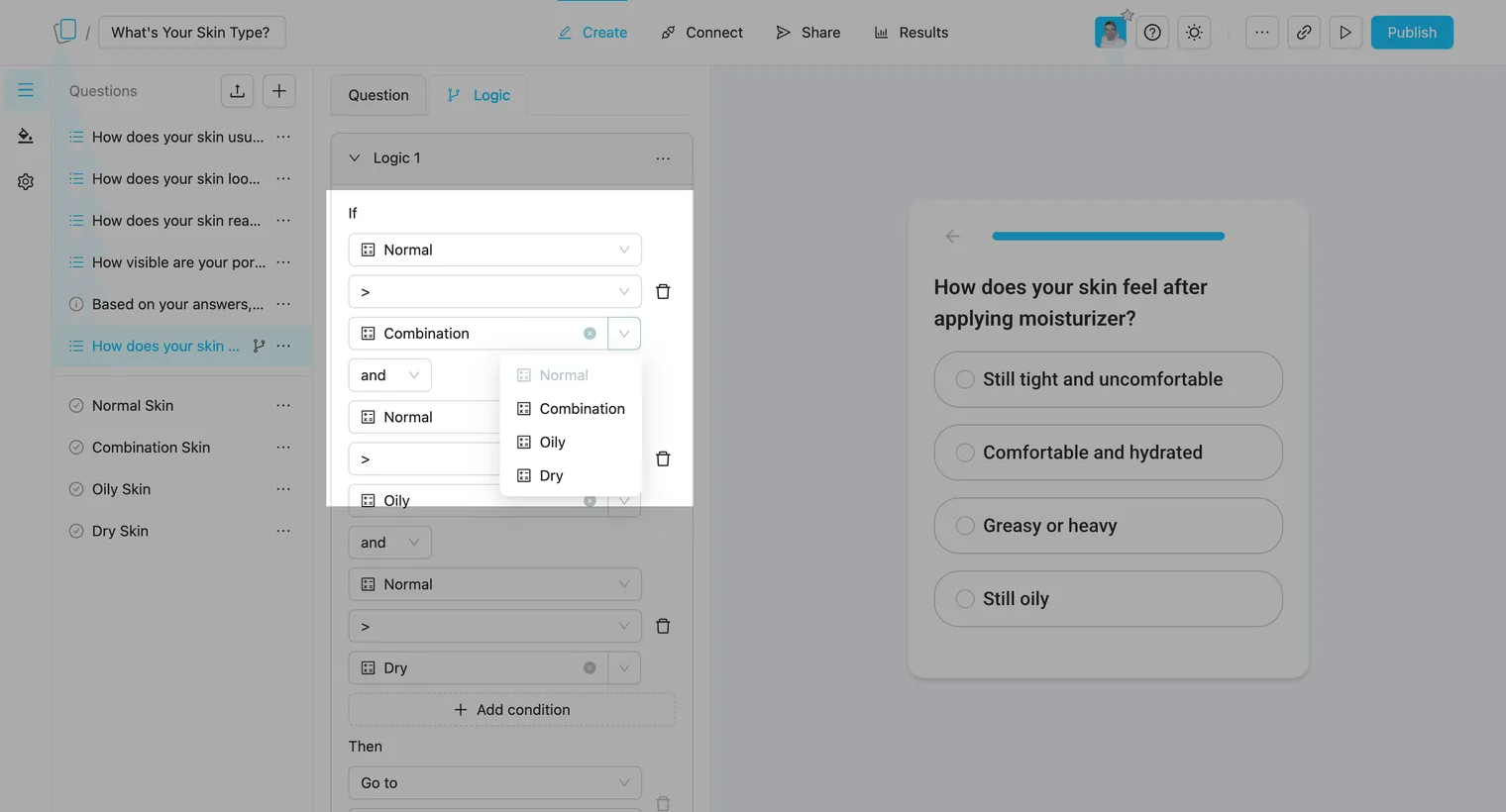
In addition to comparing a calculated field against a fixed number, you can compare two calculated fields against each other. This is a powerful feature for creating “winner-takes-all” outcomes, personality quizzes, or dynamic branching based on relative scores:
Notes:
-
Calculated fields are global to the survey, so any changes to them affect the entire survey.
-
Currently, you can’t compare calculated fields with each other or with other answers. You can only compare them to a plain number or string.
-
Preview and complete your survey to ensure all logic flows and calculations work as expected.