
Pabbly
Connect MetaSurvey with other tools using Pabbly Connect.
Steps to Connect MetaSurvey to Pabbly:
-
Log in to your Pabbly account.
-
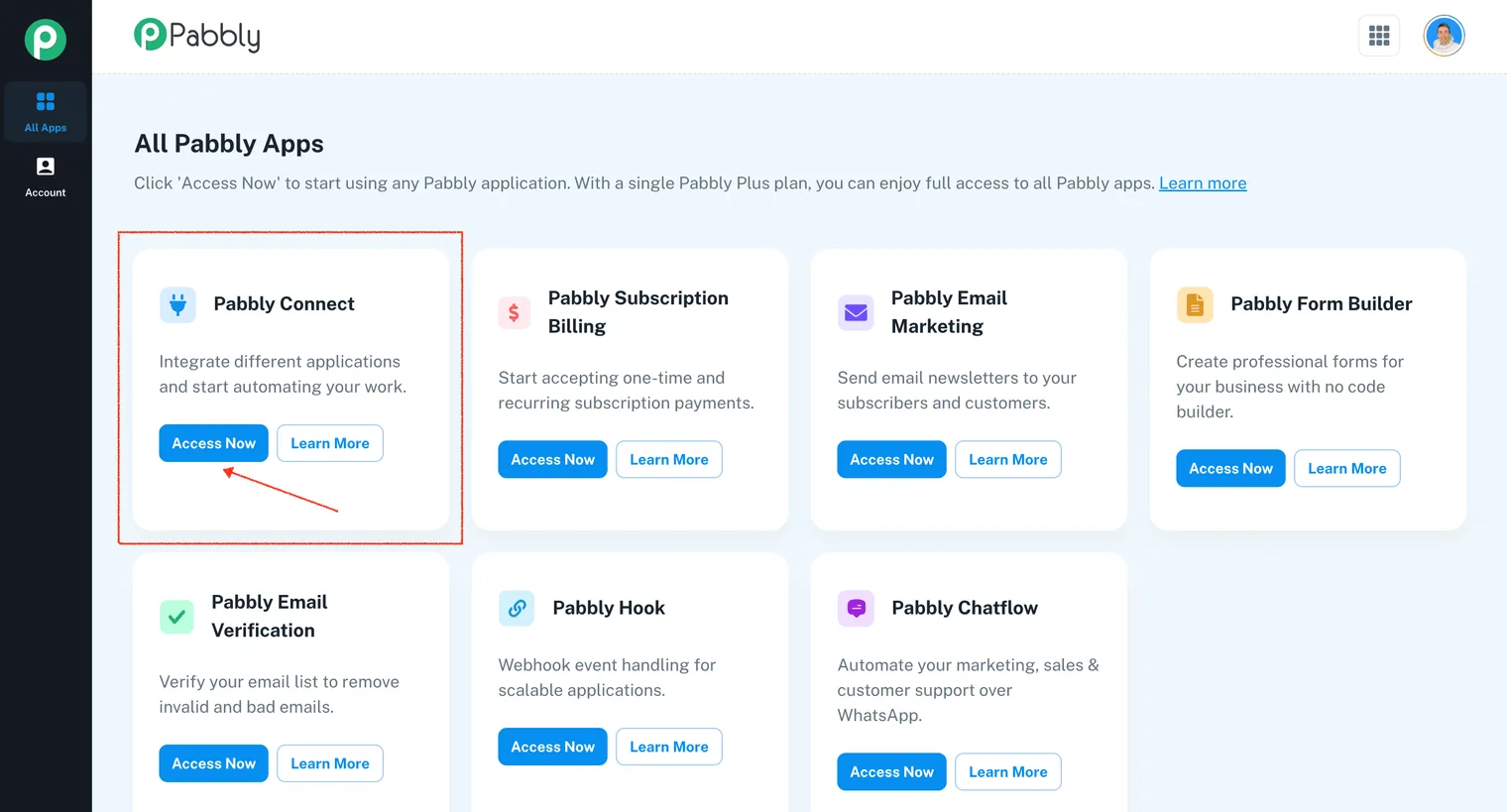
Locate Pabbly Connect and click Access Now:
-
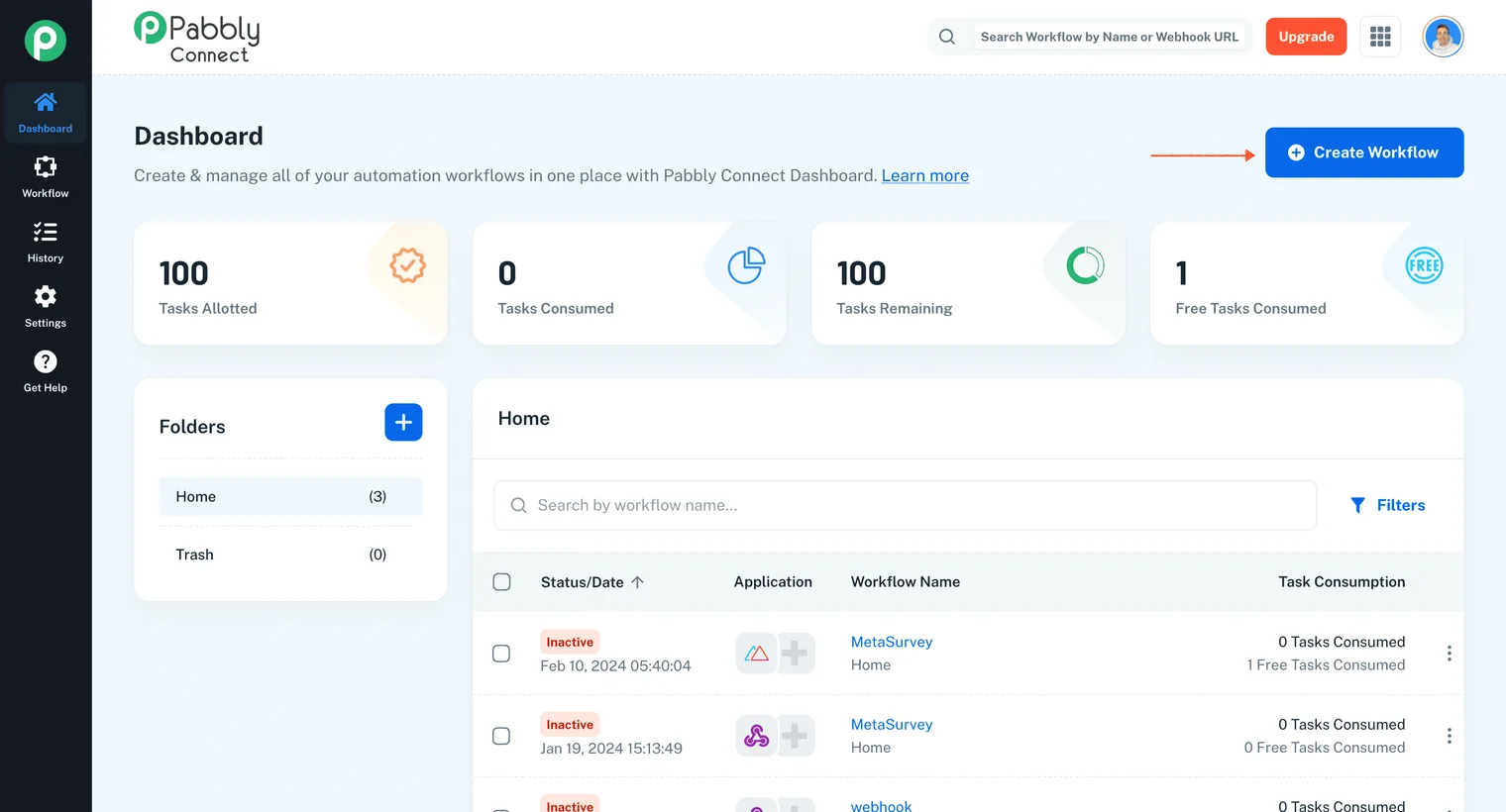
Click Create Workflow:
-
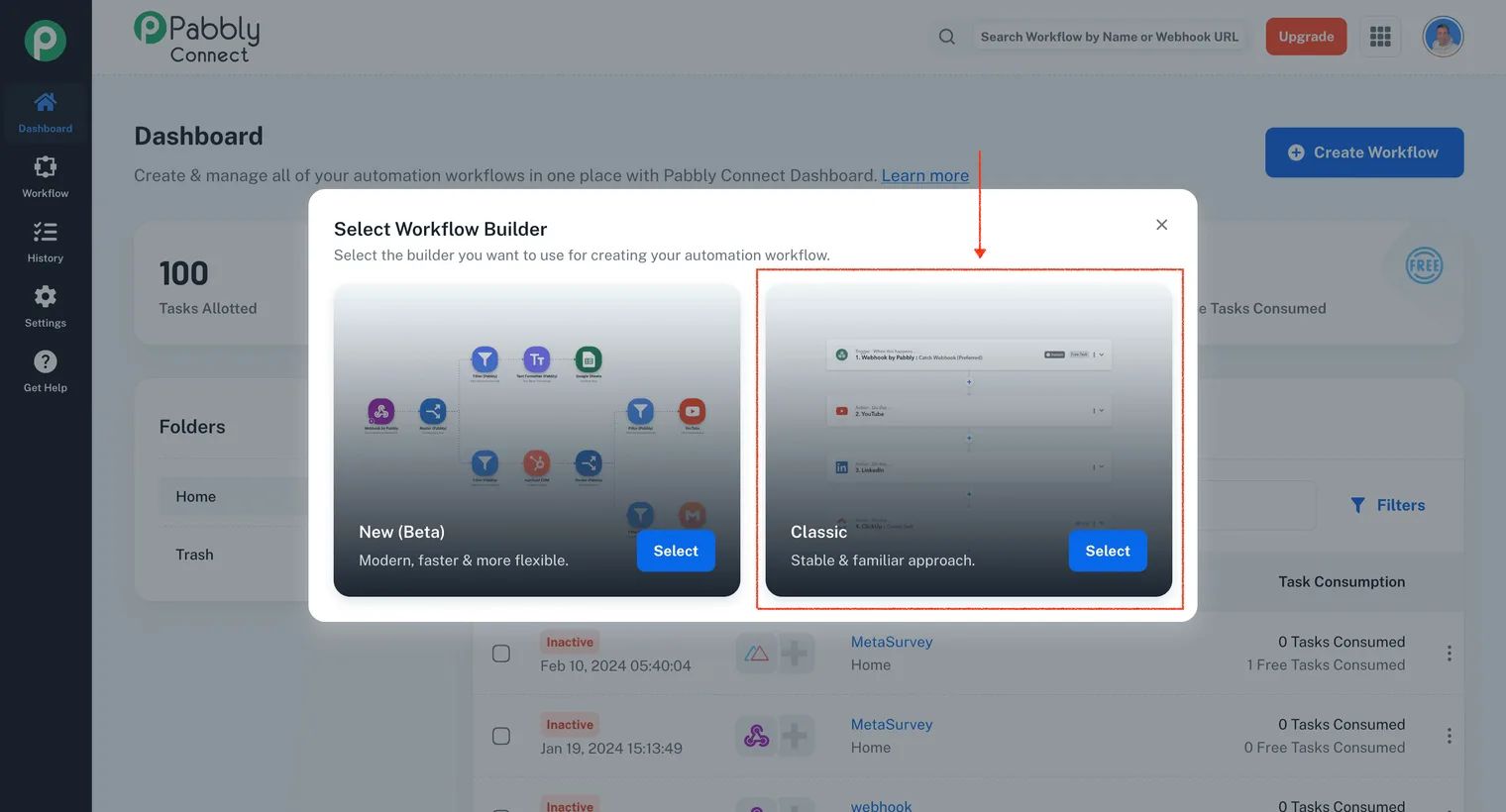
Select Classic, name the Workflow, and click Create:
-
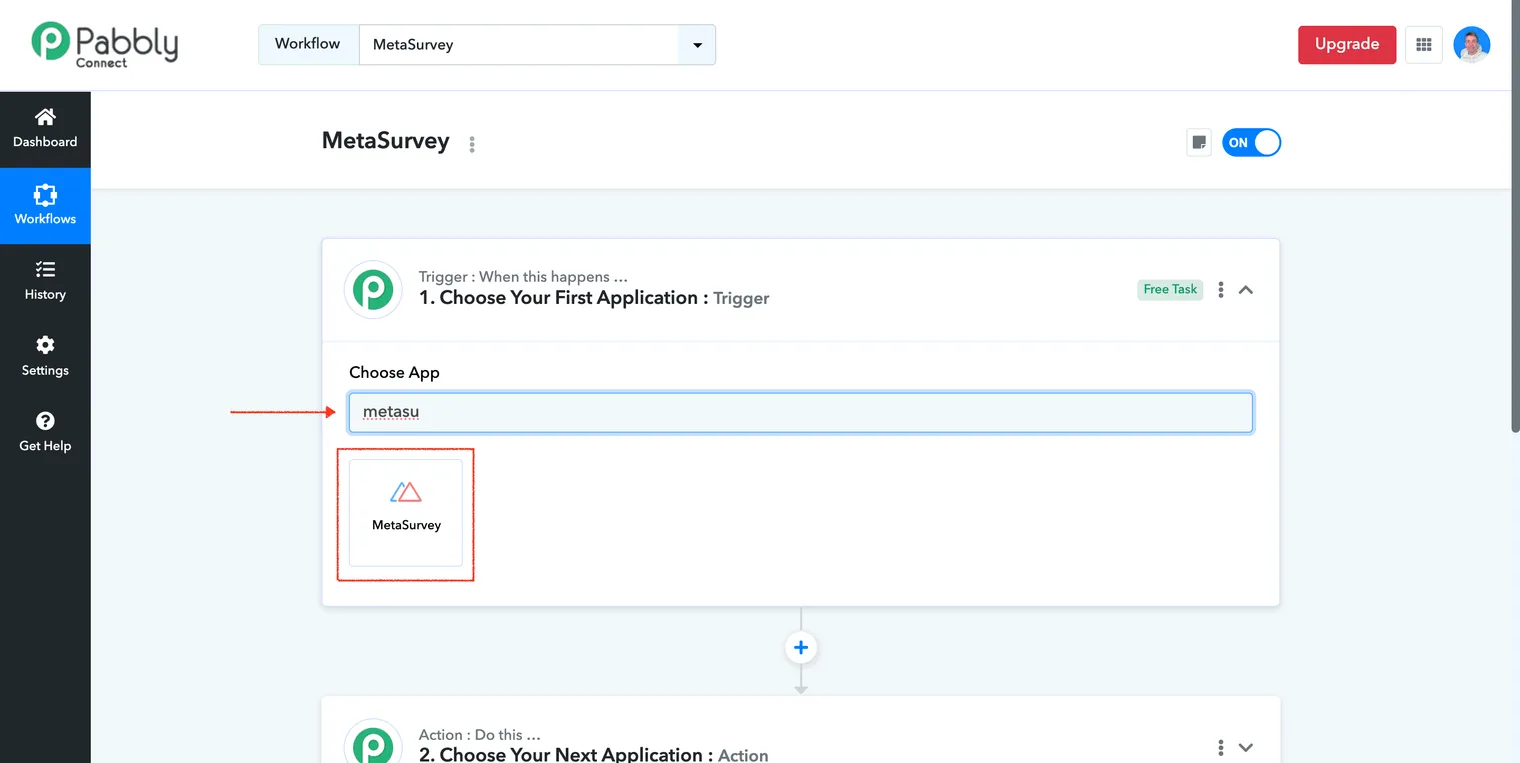
In Choose App, type metasurvey and select it from the list:
-
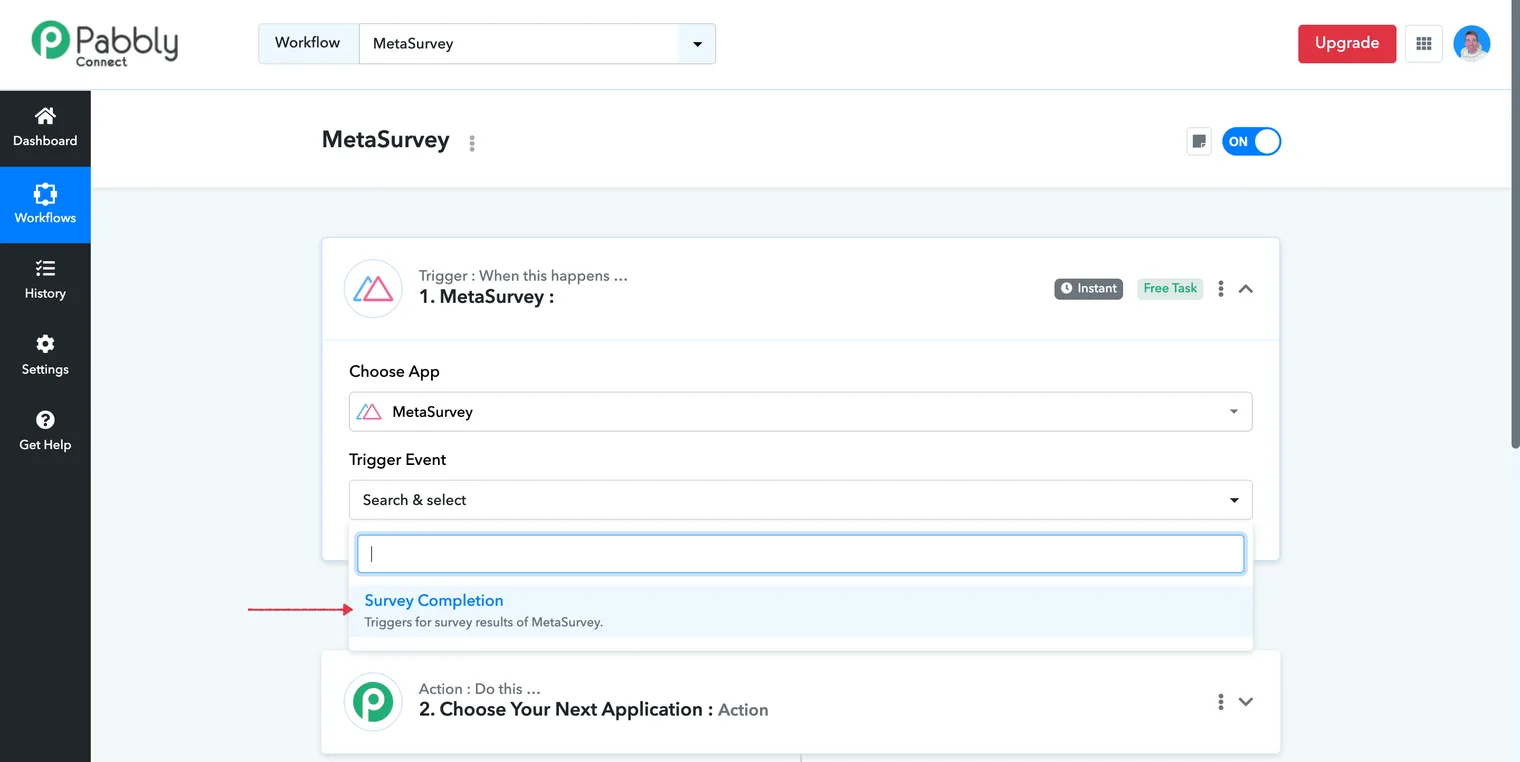
Choose the Survey Completion event:
-
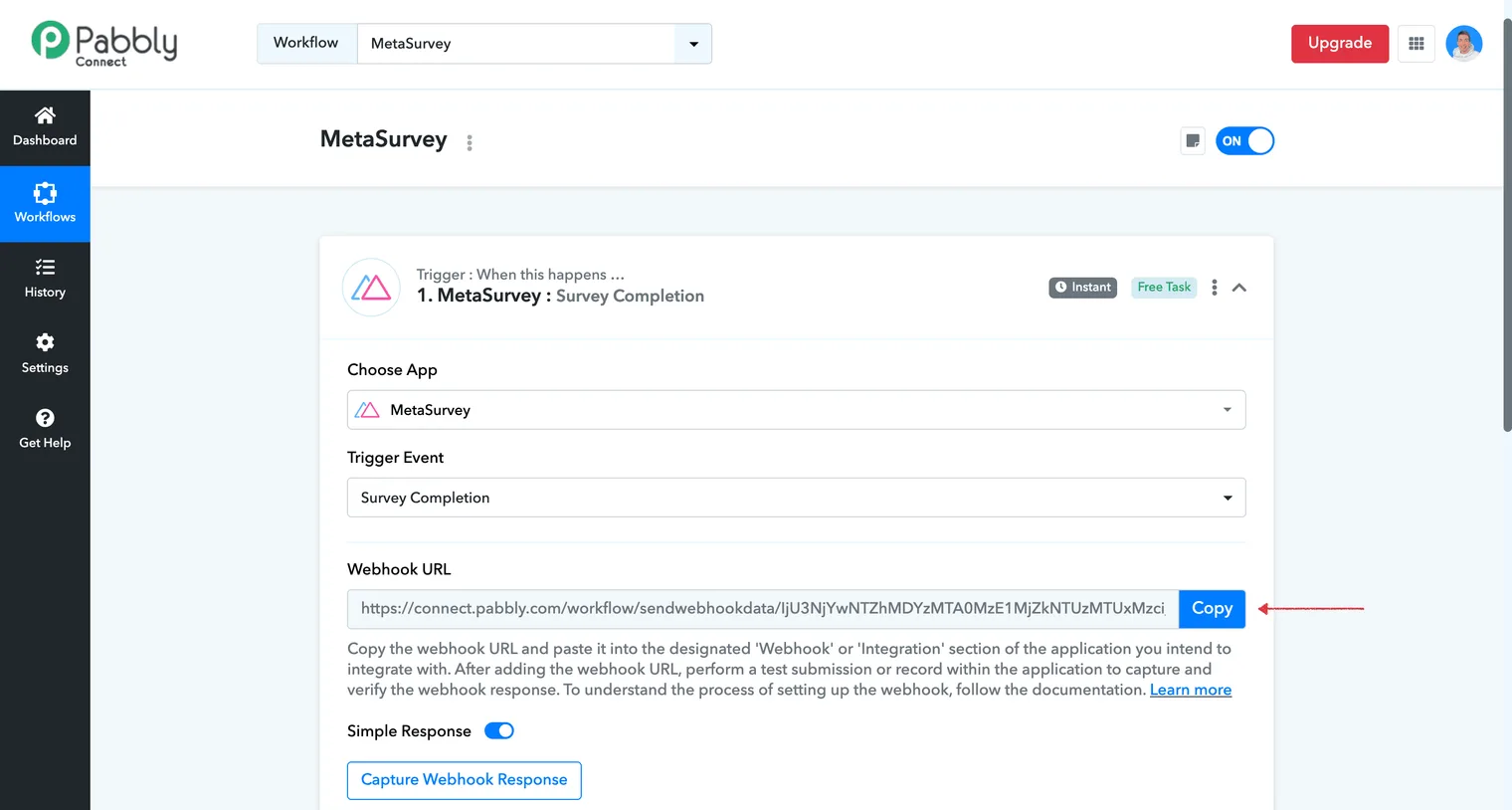
Copy the Webhook URL provided:
-
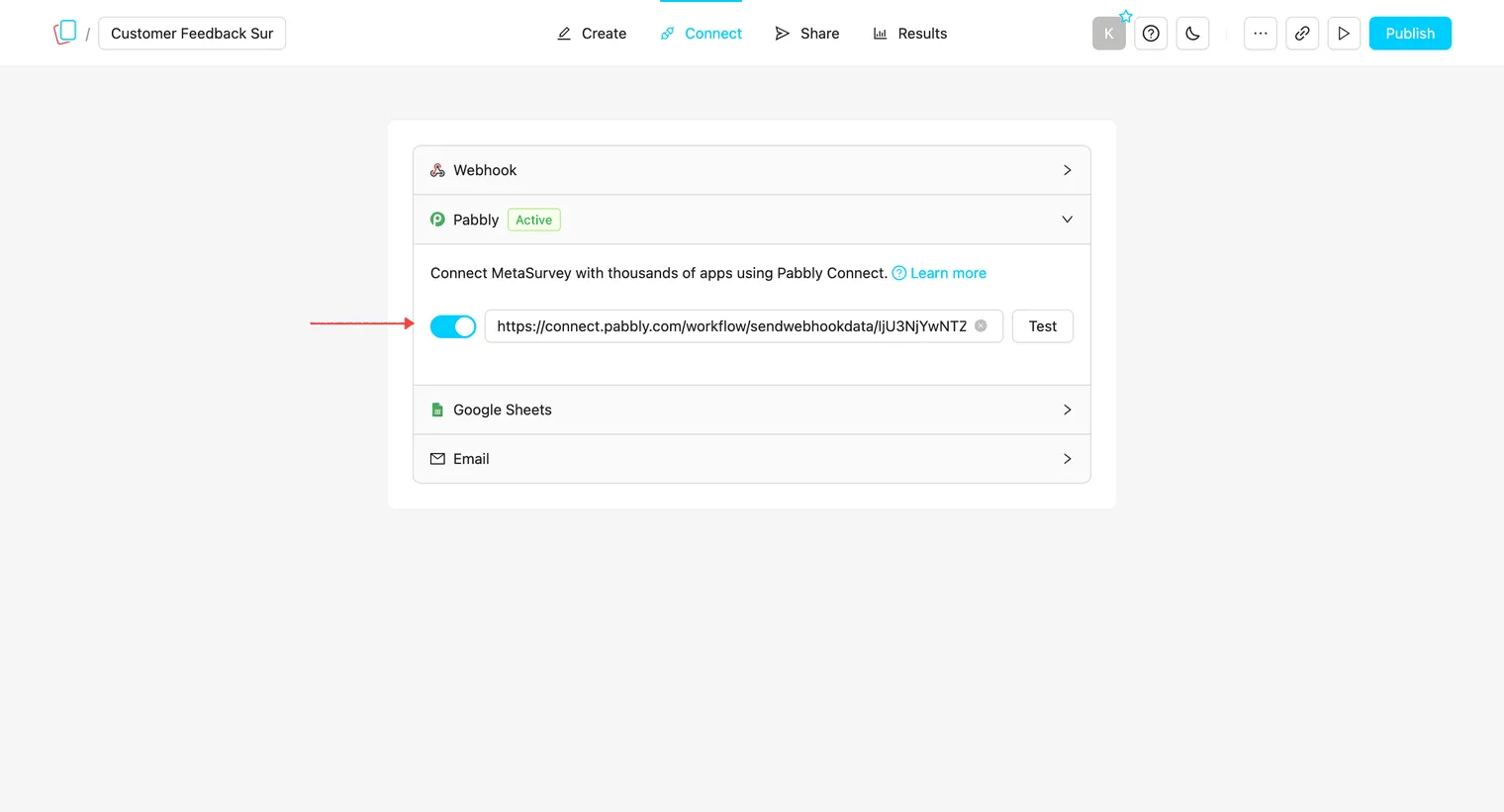
Back in MetaSurvey, open your survey, go to Connect, select Pabbly, toggle it on, and paste the URL:
-
Click Test - a green check will confirm the webhook was sent successfully.
-
Publish changes.
-
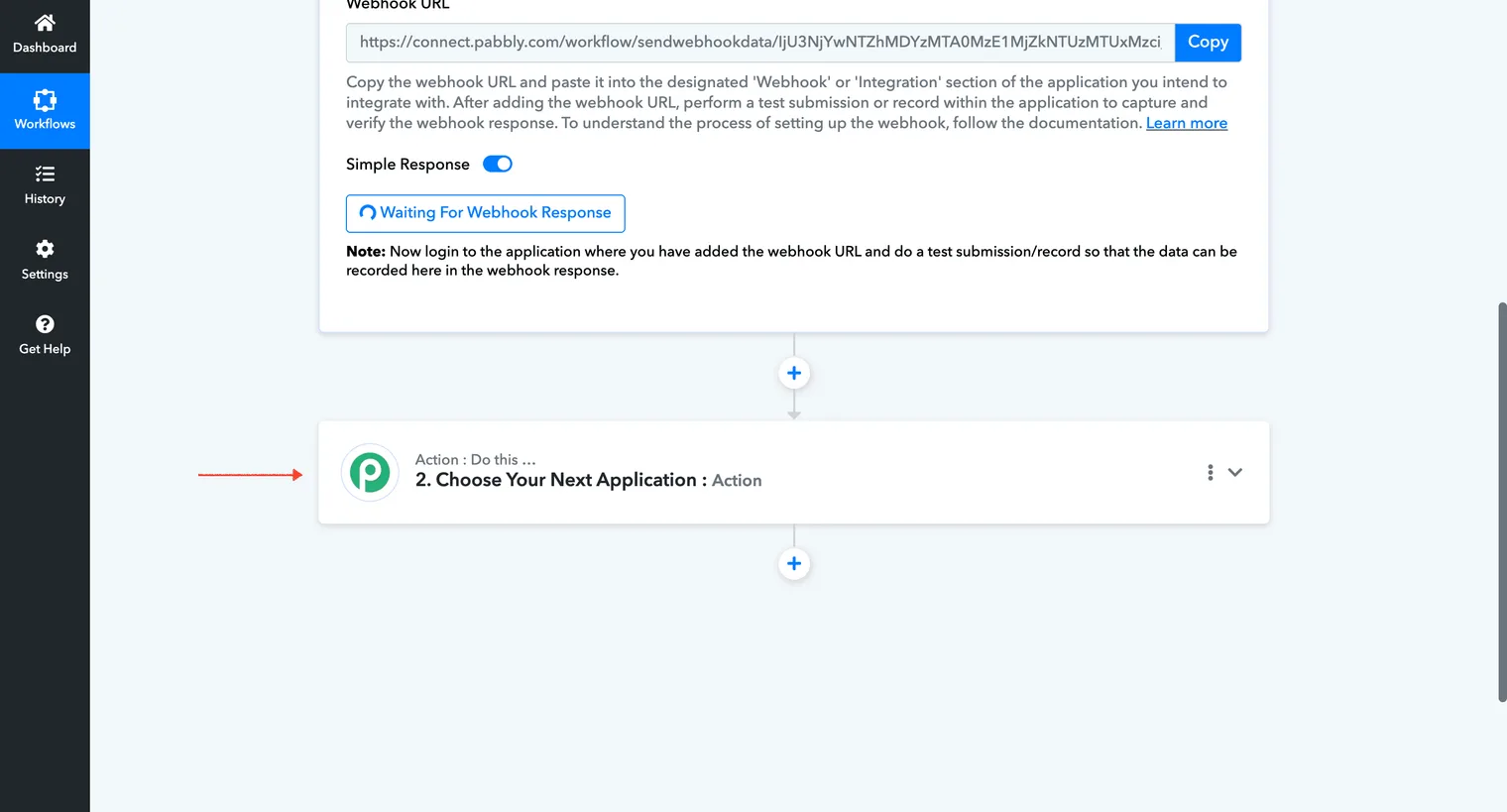
In Pabbly, select the next app to send your survey data to:
✅ Integration complete!
Note: the integration only trigger on real survey completions, not in Preview mode.