Remove MetaSurvey Branding
-
Open your survey.
-
Click Settings in the left sidebar.
-
Enable the Remove branding option:
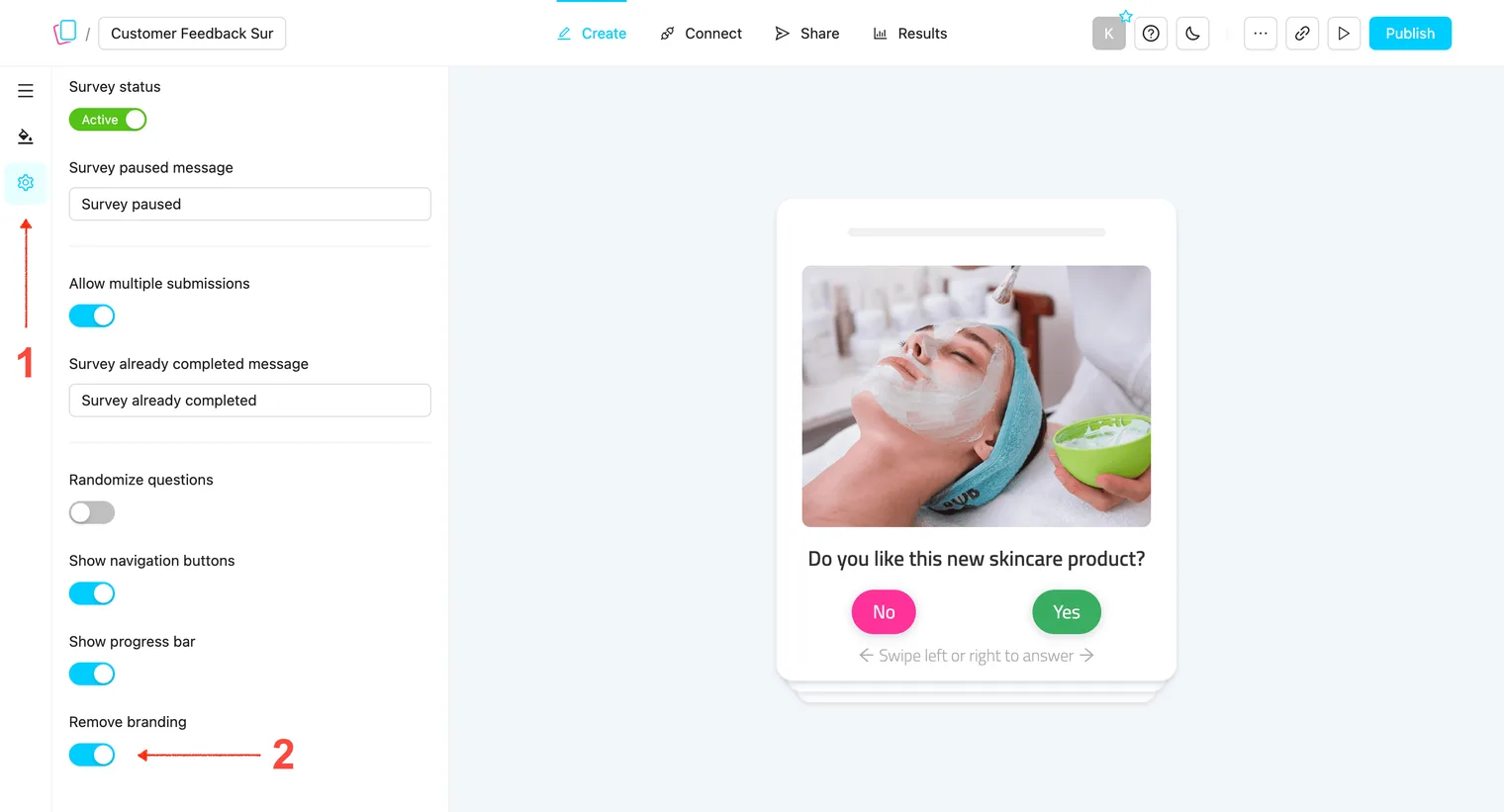
Note: If you see a “Plan upgrade needed” message, you may need to upgrade to a higher plan.

Open your survey.
Click Settings in the left sidebar.
Enable the Remove branding option:
Note: If you see a “Plan upgrade needed” message, you may need to upgrade to a higher plan.