
Themes
Match your survey to your brand with custom themes. Choose a default theme or design your own by adjusting button, text, background, and accent colors.
Select a Default Theme:
-
Open your survey and click Themes in the left sidebar.
-
Select a default theme.
-
Click Publish to apply changes.
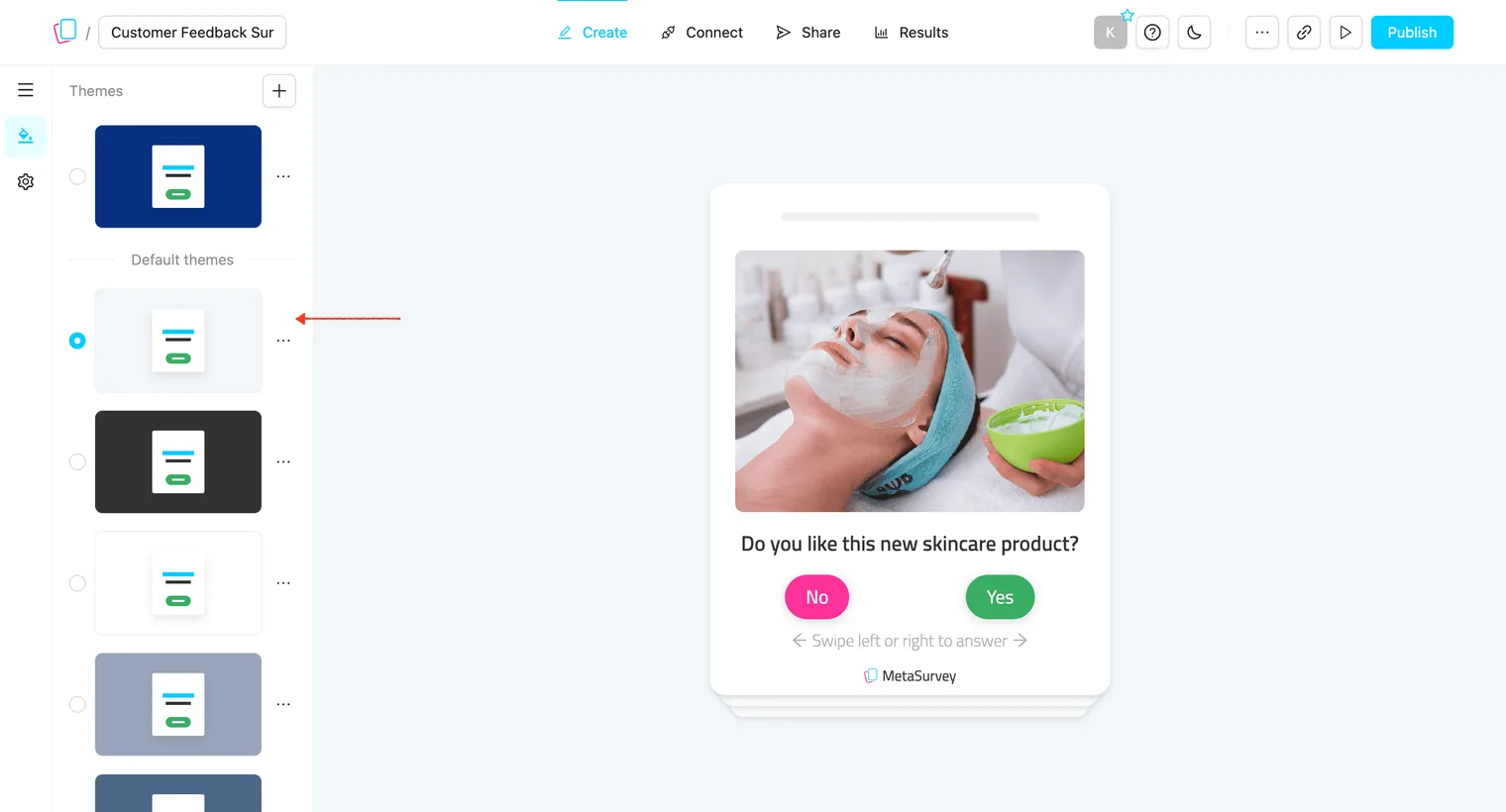
Note: Default themes can’t be edited or deleted. To customize, first duplicate the default theme.
Create a Custom Theme:
-
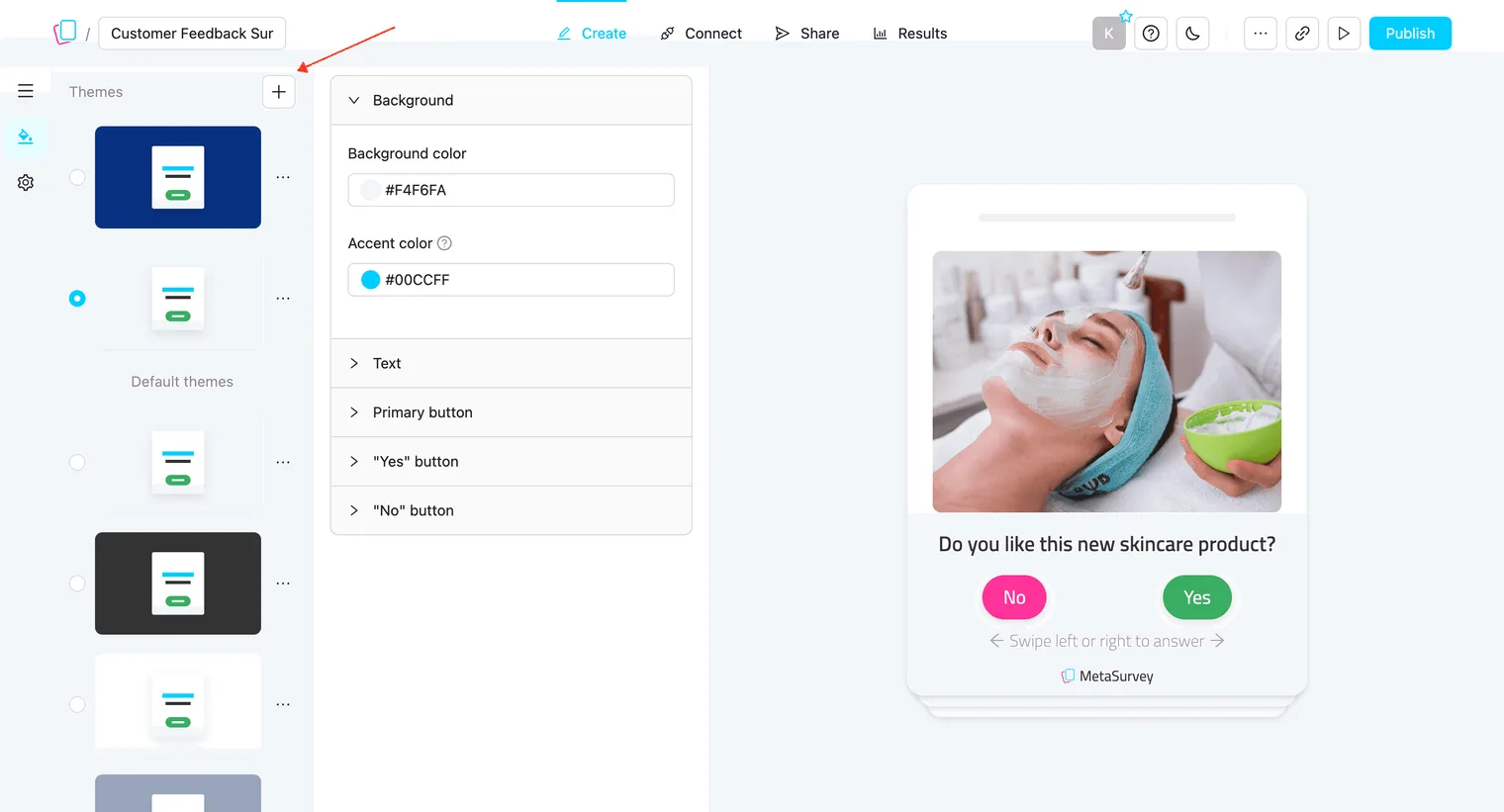
Click + button to create a new theme:
-
Customize a theme.
-
Click Publish to apply changes.
Note: Custom themes can be reused across multiple surveys. Deleting a theme will affect all surveys using it.