
Webhook
You can connect MetaSurvey to external tools using Webhook together with an automation platform like Zapier, Pabbly, or Make.
Quick Start:
-
In your automation tool Search for and select Webhook. The tool will provide you with a unique webhook URL for receiving data.
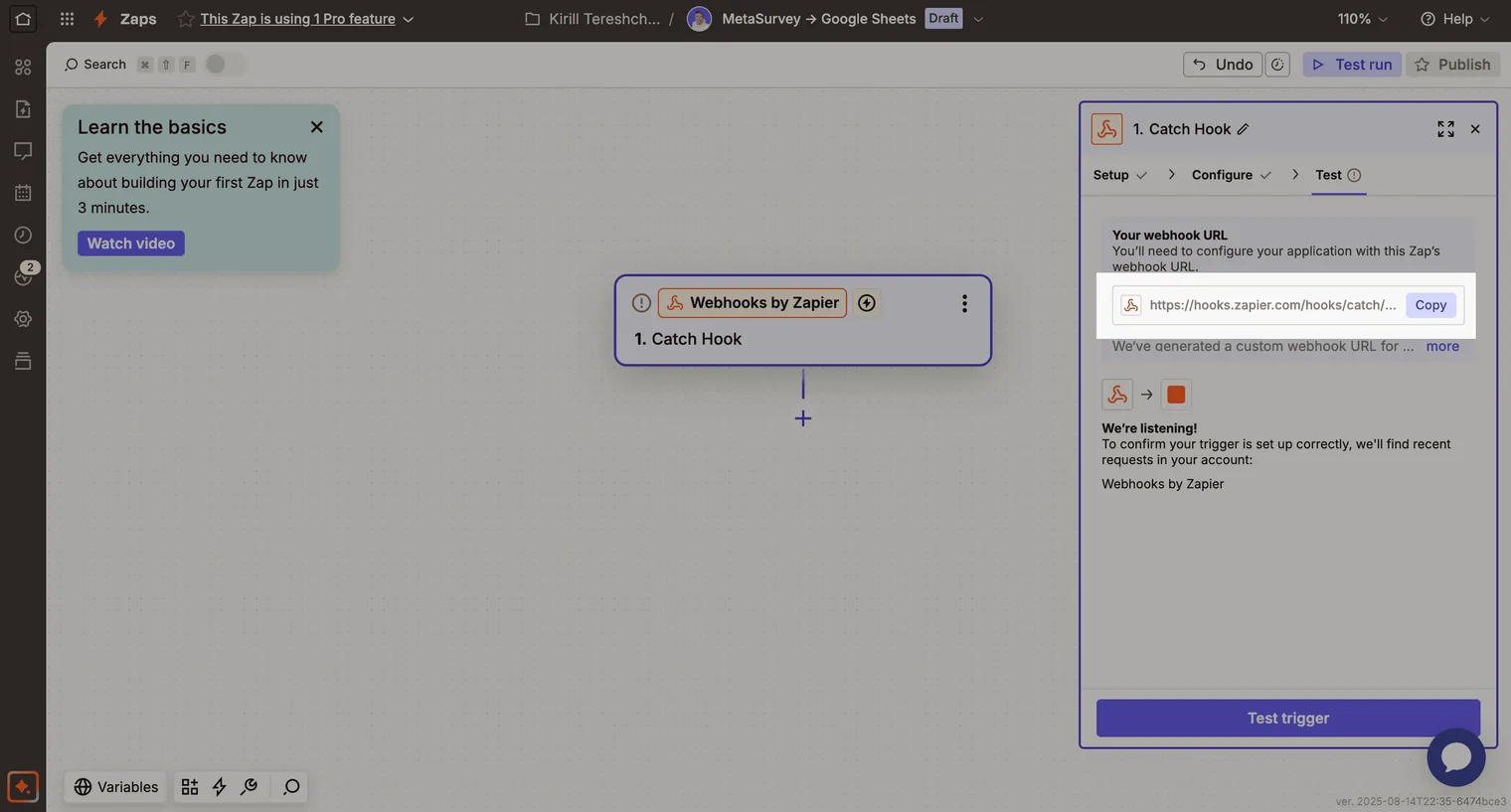
-
In MetaSurvey Open your survey in the editor. Click Connect menu. Select Webhook. Toggle Webhook on, then paste the URL you copied from your automation tool.
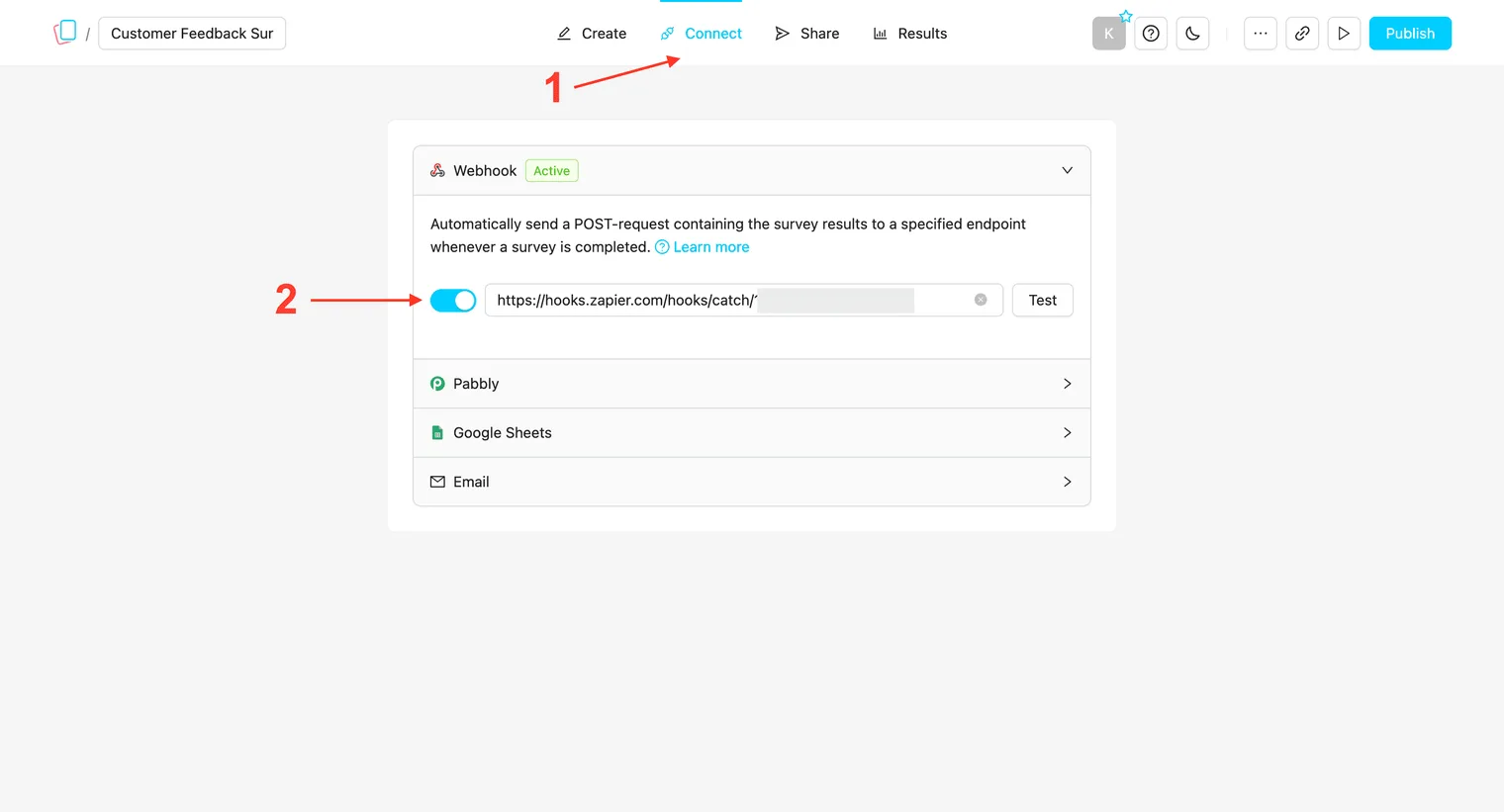
-
Test the connection Click Test to validate your endpoint URL. Publish your survey. Complete the survey as if you were a respondent - this will send real data to your automation tool (webhooks do not work in preview mode).
-
Add your next action In your automation platform, add a second step to send survey results to another app or service (e.g., save to Google Sheets, send an email, create a CRM entry).