
RTL
Show your survey right to left so it reads naturally for Arabic, Hebrew, Persian, Urdu, Kurdish, and other RTL languages. The direction is a theme setting, so one change applies to every survey using that theme.
Set the Text Direction:
-
Open your survey and click Themes in the left sidebar.
-
Select the theme you want to change.
-
In the Text section, find Text direction and choose Right to left.
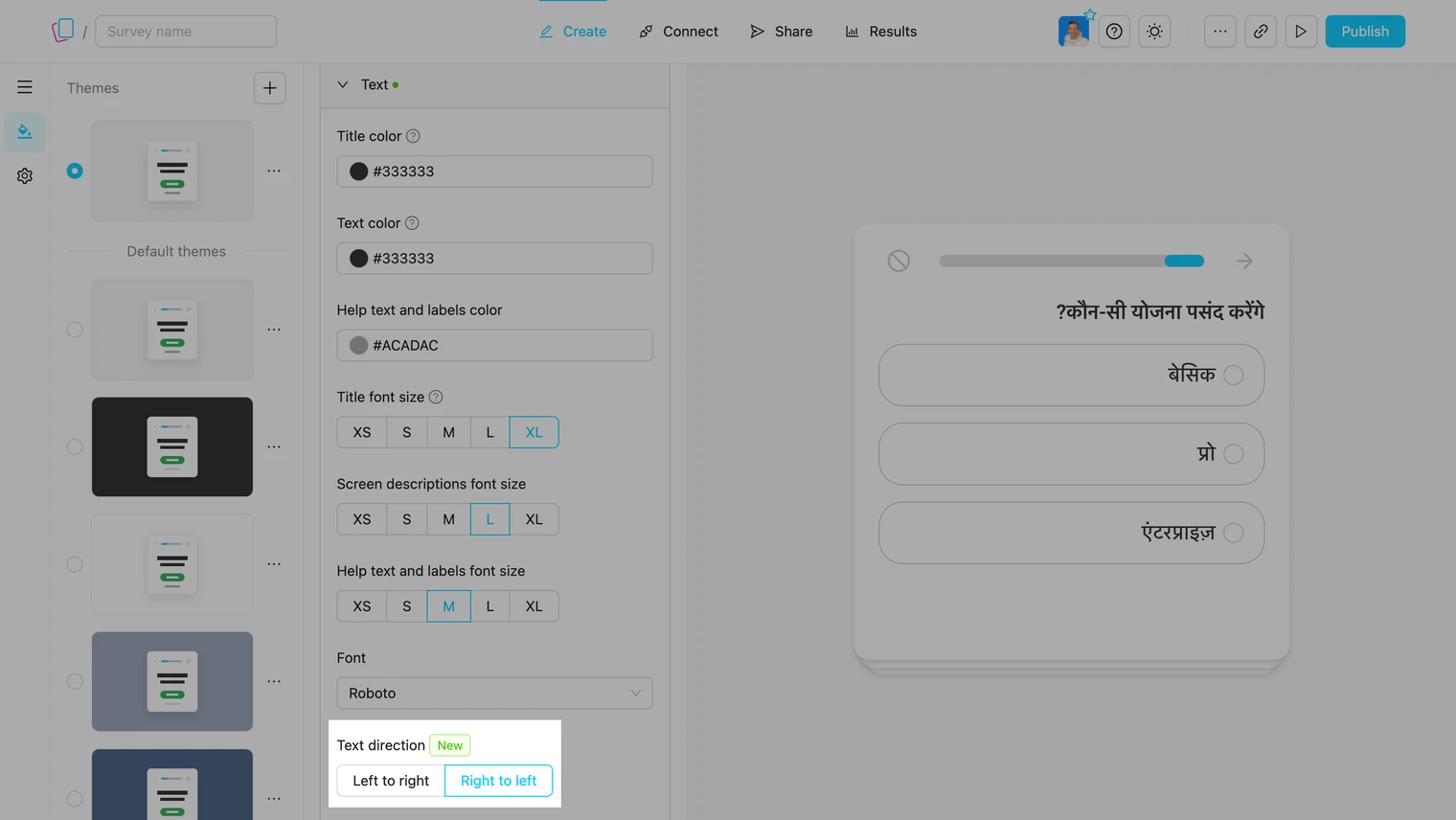
- Click Publish to apply changes.
Note: Default themes can’t be edited. Duplicate a default theme first, then set the direction on your copy.
What Changes:
- Questions, answer options, and system messages are aligned to the right.
- Sliders, rating scales, NPS and progress bars are mirrored.
- The swipe question keeps its answer buttons in their usual order, so the gesture stays the same.
Translate the Survey Text:
The text direction only changes the layout. To translate questions, answer options, and system messages, see Translations.