
Translations
You can manually translate your survey into any language by updating the text for questions and survey messages.
Translate Questions:
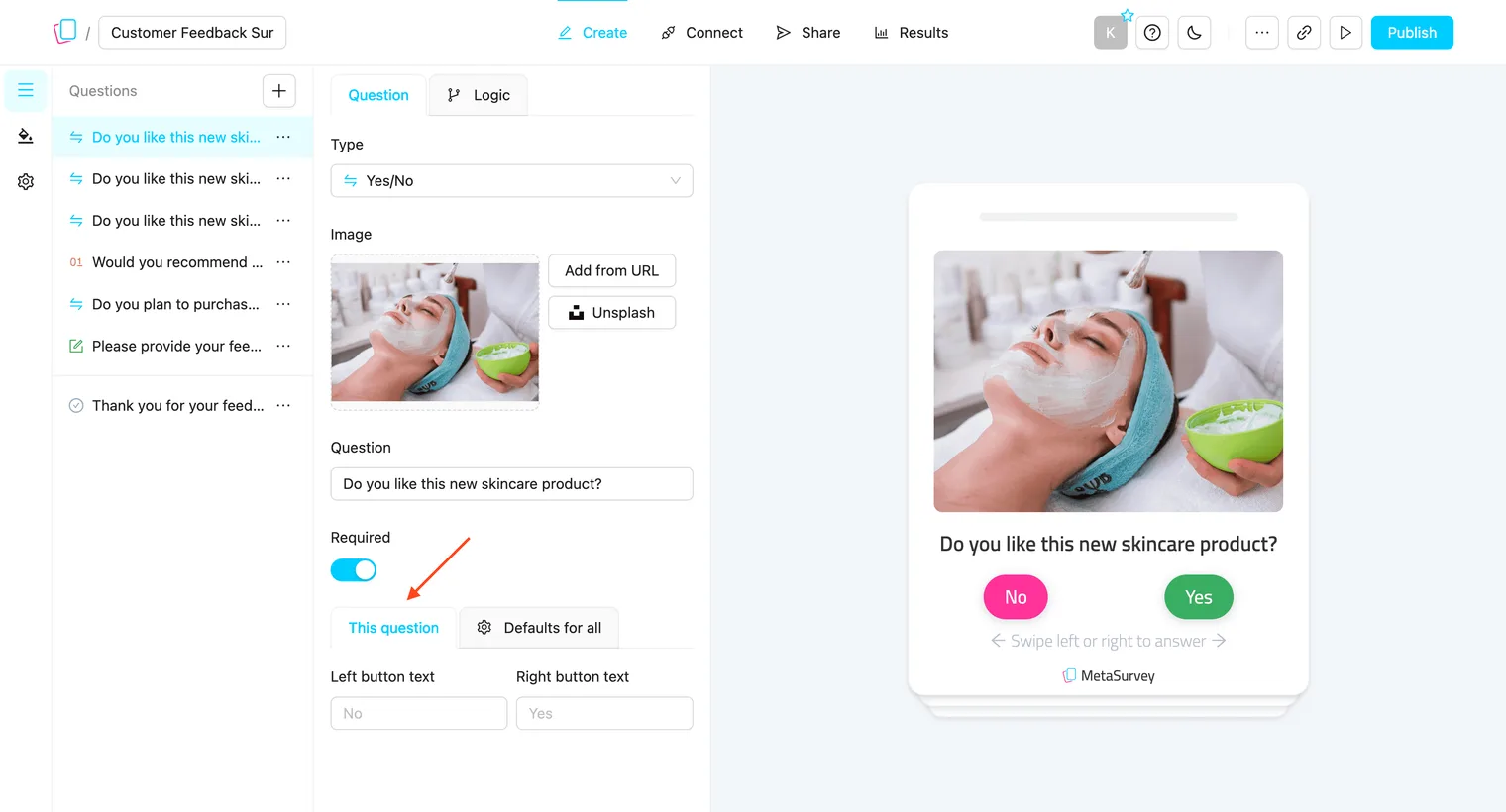
In the question editor, you can translate button labels, hints, and other question-specific text in two ways:
-
This question → Translate only the current question’s text and labels.
-
Defaults for all → Apply the translated labels (e.g., Yes/No) to all similar question types in the survey.
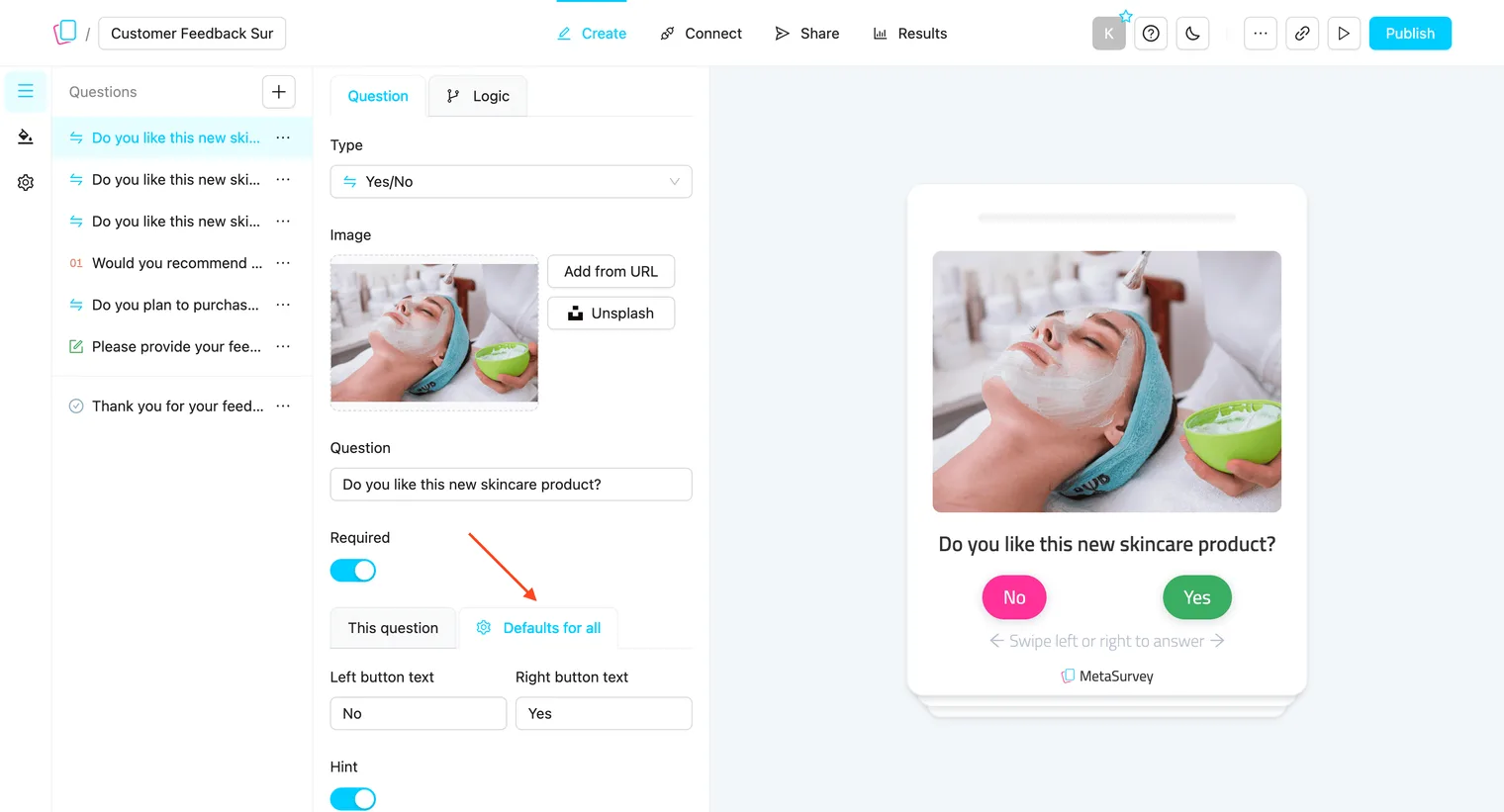
Repeat this for each question to ensure all text is in your desired language.
Click Publish to apply changes.
Translate Other Survey Messages:
To translate system messages (e.g., “Survey paused”, “Survey already completed”):
-
Open your survey and go to Settings.
-
Update the text for each message field with your translation.
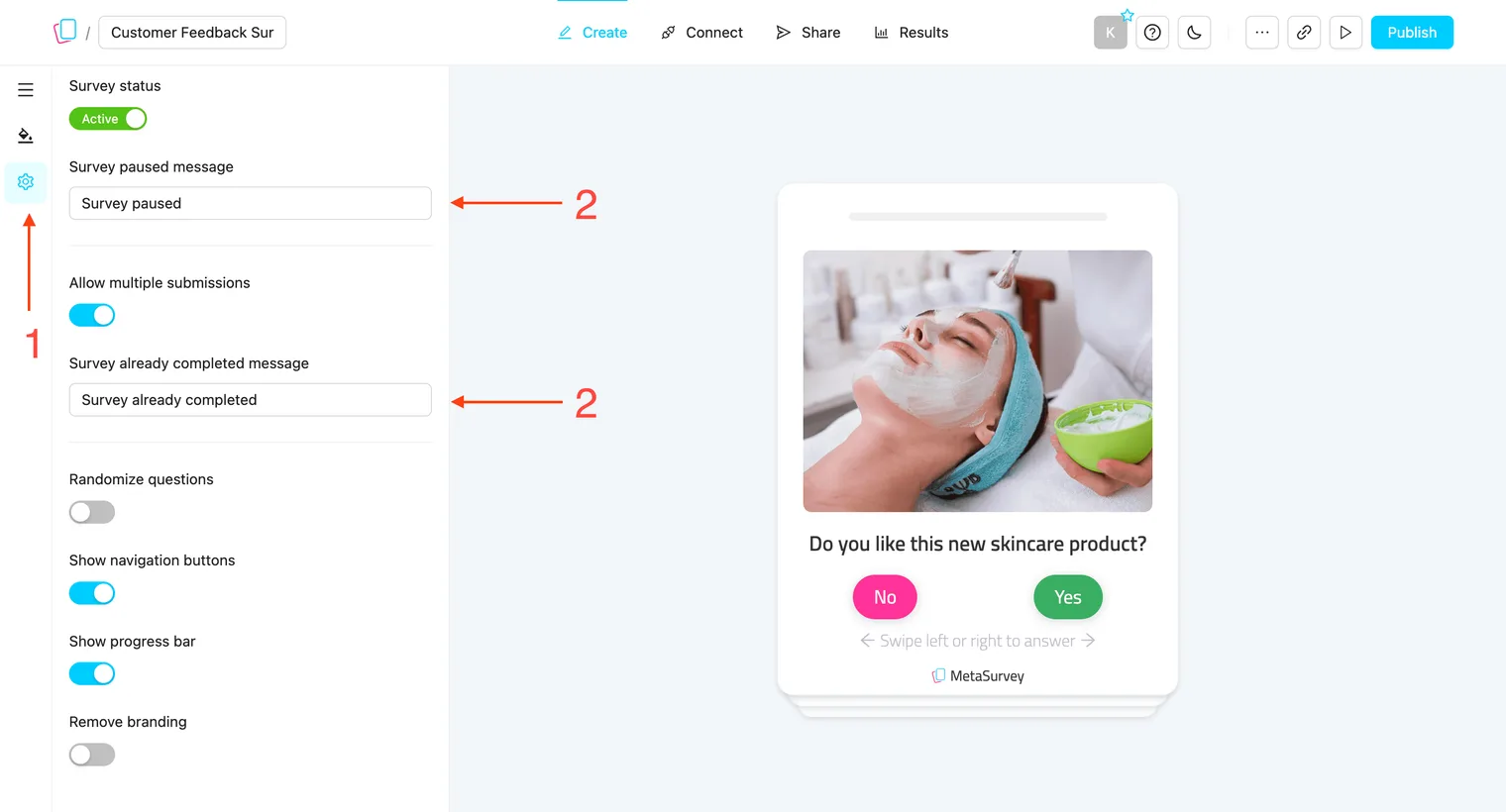
After translating, publish changes and preview the survey to check if all elements display correctly in your chosen language.
Right-to-Left Languages:
For Arabic, Hebrew, Persian, Urdu, Kurdish, and other right-to-left languages, translating the text is only half of the job — the survey layout also has to read from the right.
Set the direction in your theme: RTL.